Ubuntu
Desktop File Example
$ cat ~/.local/share/applications/Appname.desktop
### Copy to /home/.local/share/applications
[Desktop Entry]
Type=Application
Version=1.0
Name=Appname
Comment=Manage pgp keys
Icon=/home/rafaf.tahsin/Pictures/App-Icon.png
Exec="/opt/Appname.AppImage"
Terminal=false
Ref: https://specifications.freedesktop.org/desktop-entry-spec/desktop-entry-spec-latest.html
Alow Remote Connection during screen lock
https://askubuntu.com/a/1491181/428566
Ubuntu enable built in RDP Connection
- Go to settings and select Remote Desktop
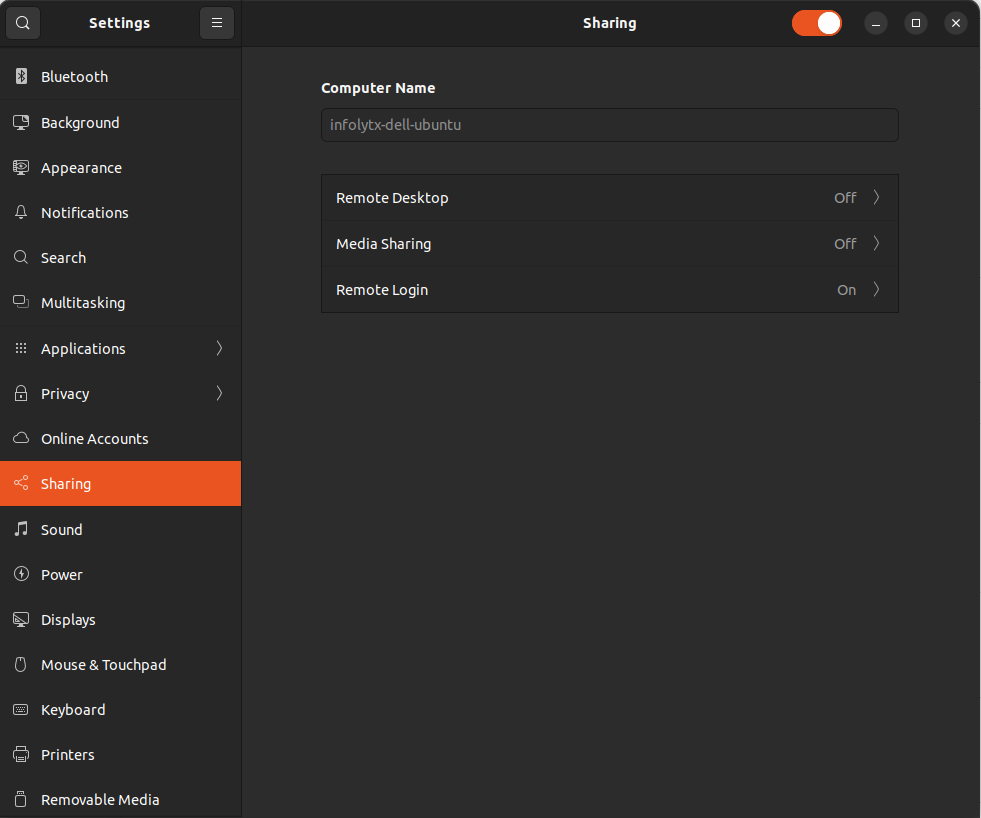
- Enable Remote Desktop
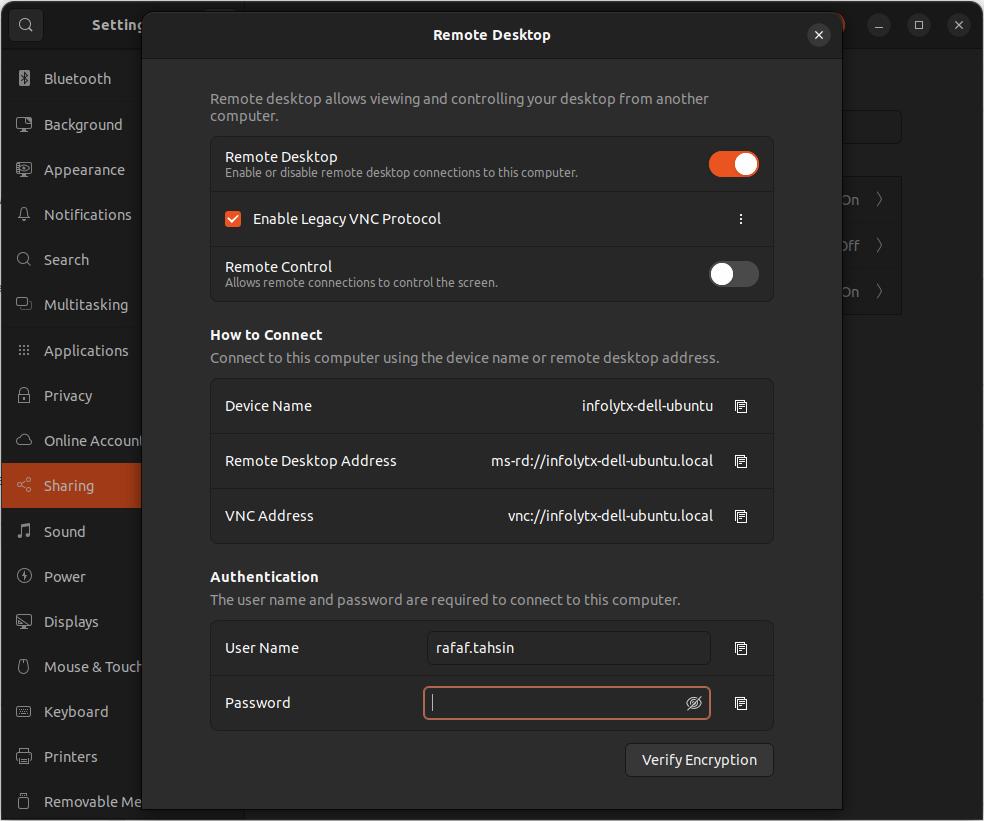
- Use RDP Client to connent
Ref: https://www.vpsserver.com/ubuntu-server-remote-desktop/
Ubuntu Split Window
Shortcut :
Split to The Left : Window + <-
Split to The Right : Winodows + ->
`
Or
drag the window all the way to the left or right edge of the screen.
Ref: https://askubuntu.com/questions/586424/how-do-i-display-two-windows-as-split-screen